Browsing the Catalog
Overview
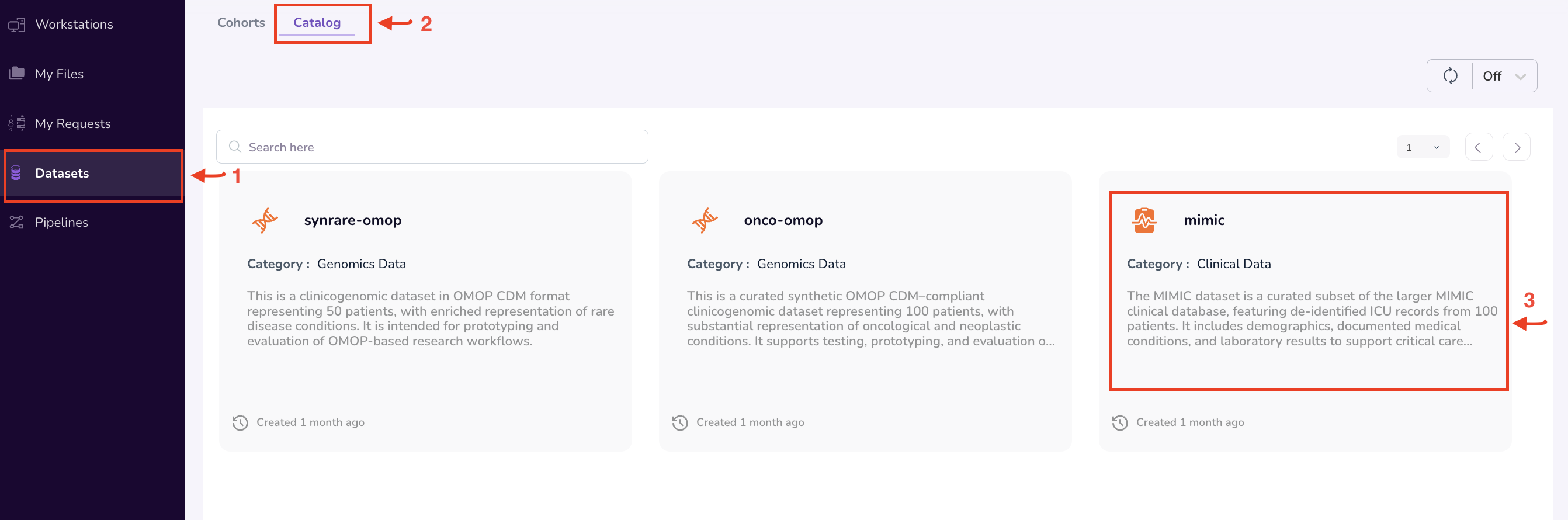
The Datasets section gives researchers access to the clinicogenomic data assets available in the TRE. It is organised into two tabs: Cohorts and Catalog.
- The Catalog tab — covered on this page — is where you discover and evaluate datasets available on the platform.
- The Cohorts tab is where you build, manage, and request access to filtered subsets of those datasets. See Building a Cohort.
The TRE is designed to ensure that patient data remains confidential at all times while remaining Findable, Accessible, Interoperable, and Reusable for research, in accordance with FAIR data principles. To support this, the platform provides researchers with pre-access to aggregate dataset statistics — enabling you to understand a dataset's scope before requesting access to individual-level records.
Navigation: Select Datasets from the left-hand navigation pane, then click the Catalog tab at the top of the page. The section opens on the Cohorts tab by default.
Browsing the Data Catalog
The Catalog tab lists every dataset registered on the platform by your organisation. Each dataset is represented as a card showing its name, type, and last updated date.
To browse the catalog:
- Select Datasets from the navigation menu.
- Click the Catalog tab at the top of the page: Use the search bar to filter datasets by name or description. All datasets visible to your organisation are listed here.
- Click your dataset of interest.
Viewing the Dataset Summary Dashboard
Each dataset card opens a Dataset Summary dashboard that provides aggregate statistics and visualisations of the dataset's distribution — enabling you to evaluate its scope and relevance to your research without accessing individual-level records.
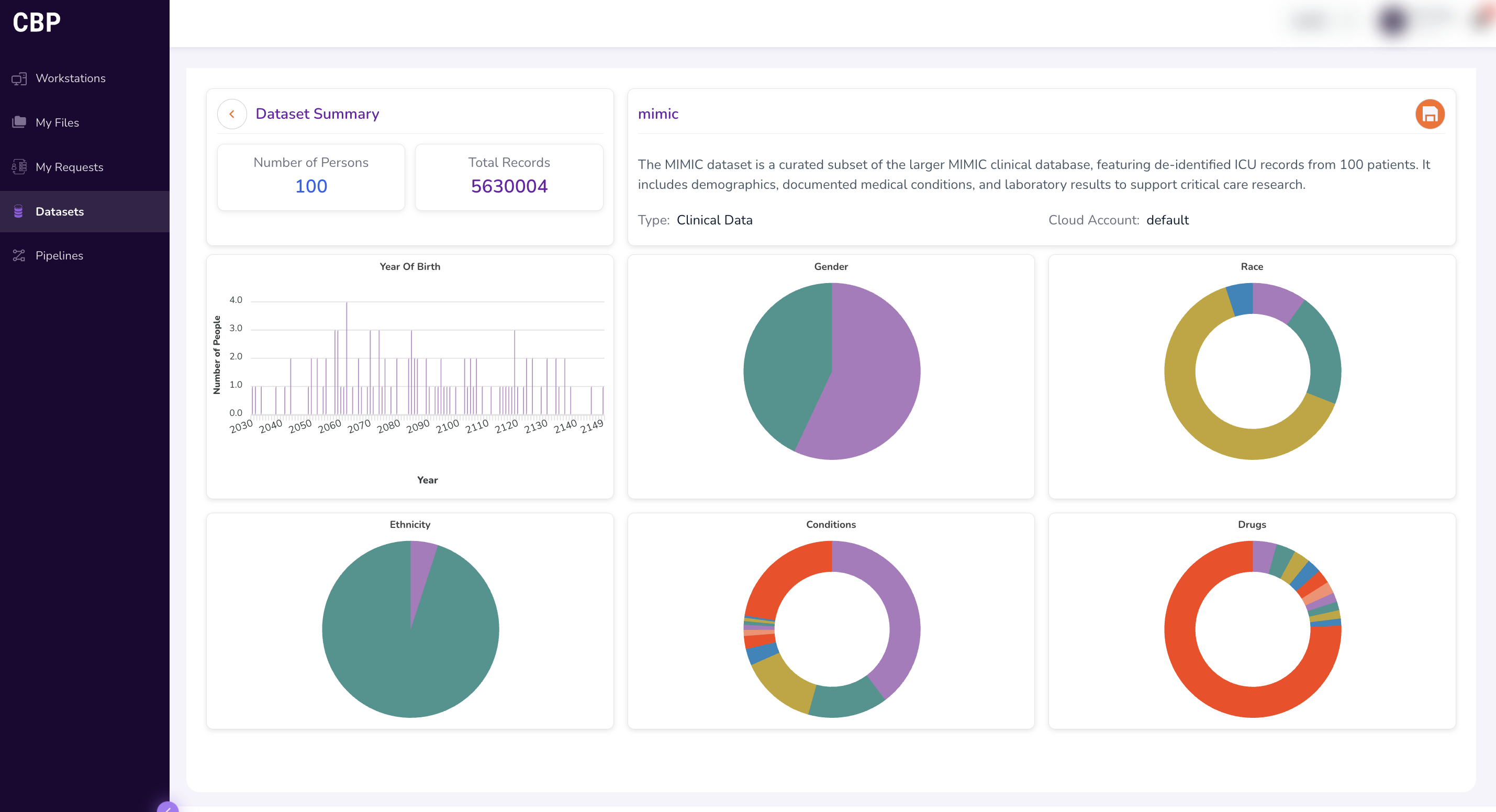
The dashboard provides charts and metrics illustrating the size and composition of the dataset. Typical fields displayed include:
- Year of Birth — distribution of patient birth years.
- Gender — breakdown of patient gender demographics.
- Race — racial composition of the dataset population.
- Ethnicity — ethnic composition of the dataset population.
- Conditions — prevalence of medical conditions.
- Drugs — distribution of drug prescriptions or exposures.
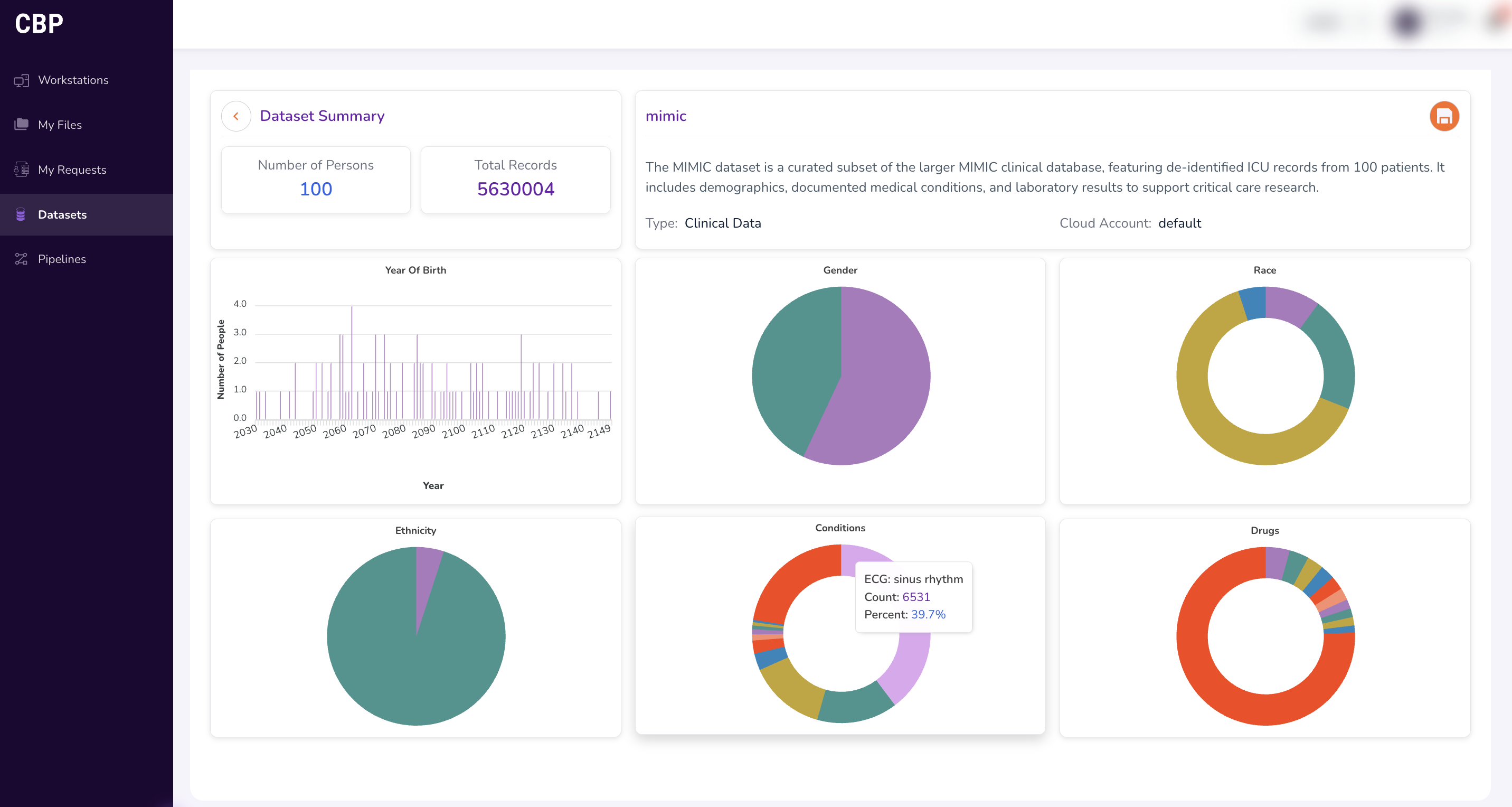
Hover over individual visualisations to view additional details and exact counts.
Evaluating Dataset Feasibility
The Dataset Summary enables you to validate whether a potential cohort is feasible before submitting an access request — confirming that the target dataset contains a viable population for your study, and helping you answer questions such as:
- Does the dataset contain a sufficient number of patients matching your demographic criteria?
- Are the relevant medical conditions and drug exposures represented?
- Is the dataset large enough to produce statistically meaningful results?
Understanding OMOP CDM
The TRE uses the Observational Medical Outcomes Partnership Common Data Model (OMOP CDM) to standardise clinical data into consistent structures and vocabularies (such as SNOMED and RxNorm). This standardisation provides:
- Day 1 research analysis — standardised, retrievable data means you can begin analysis immediately upon gaining access.
- Reproducibility — analytical workflows can be reproduced consistently across different workstations and environments.
- Federated research — studies can be run across multiple datasets using a single codebase.
OMOP-standardised tables are made accessible to researchers once their data access request has been approved, providing access to de-identified, person-level records.
Further reading: OMOP CDM documentation
What's Next
- Building a Cohort — narrow a dataset down to the specific patient population your study needs.
- Requesting Data Access — request access to an entire dataset, or to a cohort you've built.